
Datasets
Introduction
Datasets are structured collections of data used to support AI tasks such as Natural Language Processing, Computer Vision, and Audio Analysis. In AgenThink, creators can upload, manage, and share datasets through the Datasets Library. These datasets are critical building blocks used in Thinkflows, where they work in combination with Models and Agents.
This guide explains how to upload a datasets in two steps.
How to Upload a Dataset
Prerequisites
Before uploading, ensure the following:
You have a Creator Role account.
Your dataset file meets these criteria:
Maximum file size: 50 GB
Supported formats:
.csv,.json,.tiff.
Note: If you are unsure which file types to use, click on Guide to Dataset Files.
Enter Dataset Details
Go to the Datasets tab from the top navigation bar.
Click the + Upload button in the Datasets Library view.
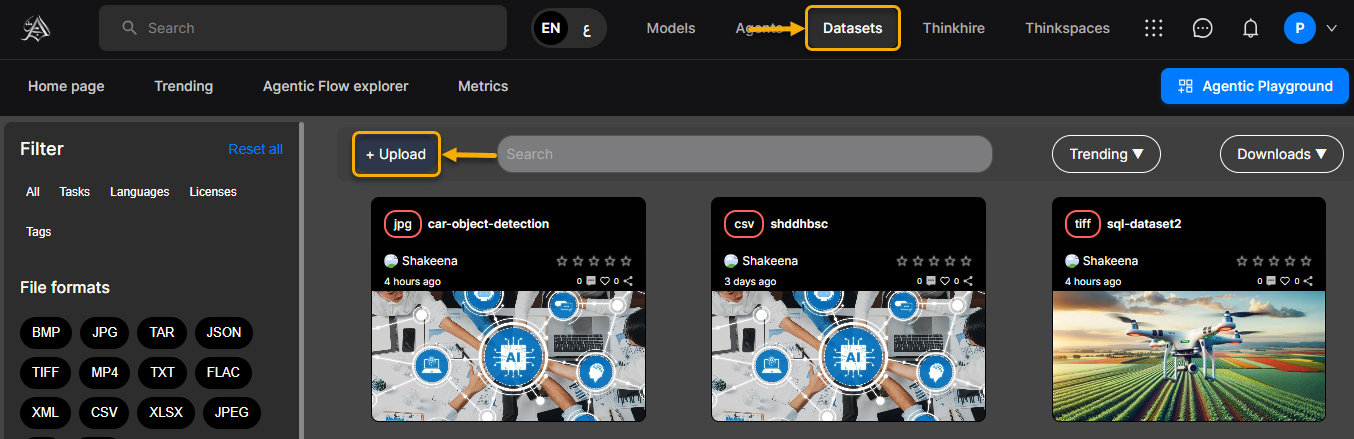
You’ll be directed to the Dataset Upload screen.
On the upload page, fill in the following:
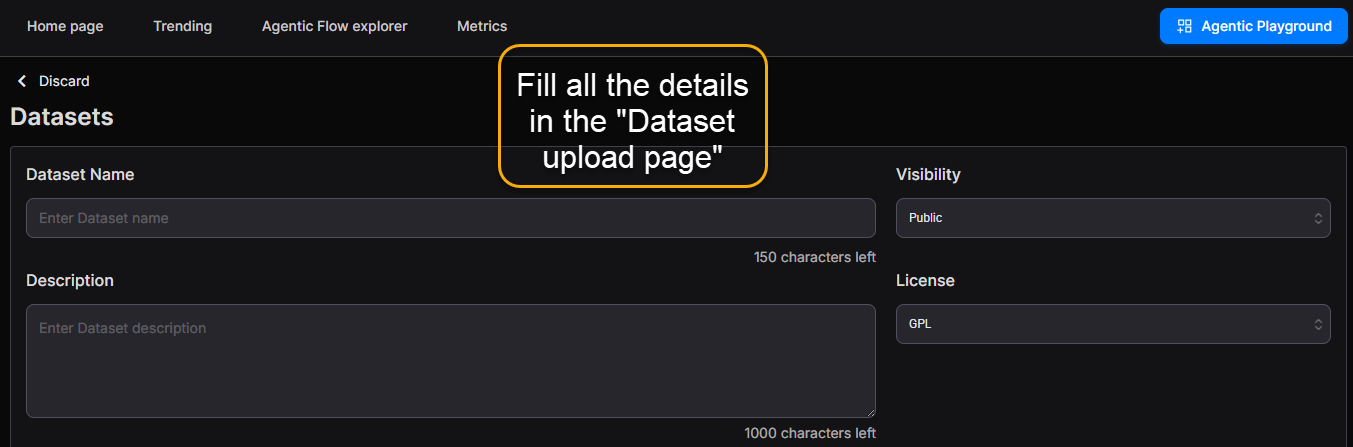
Dataset Name – Enter a dataset name (max. 150 characters).
Description – Provide a summary of the dataset (up to 1,000 characters).
Visibility – Select one of the following:
Public – Shared with all users.
Private – Accessible only to you.
License – Select a license type (GPL, MIT, Apache, etc.).
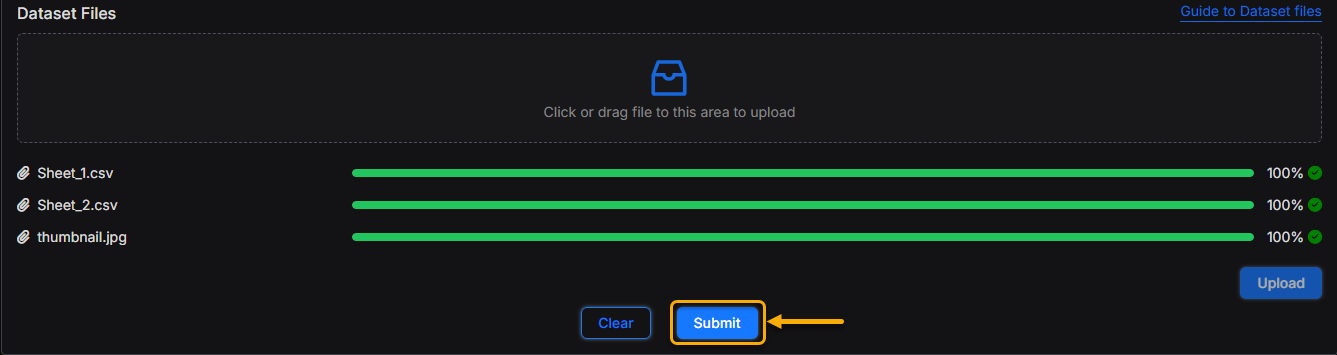
Dataset File – Drag and drop your file or browse your system to upload.
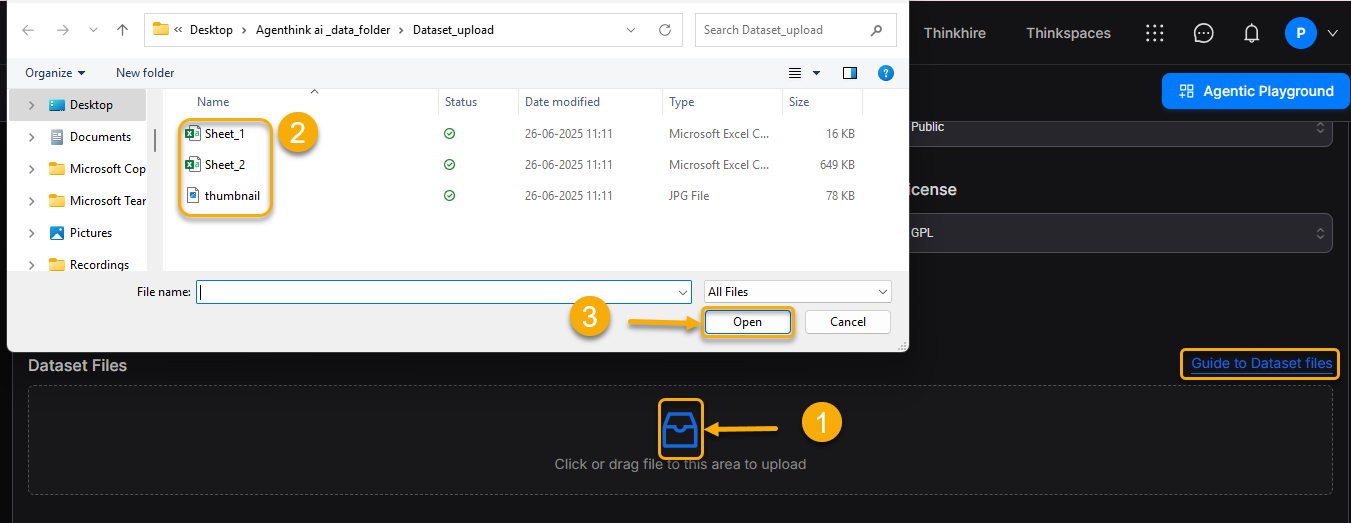
Note: A link to Guide to Dataset Files is a available beside the upload section.
- Review your upload dataset files.
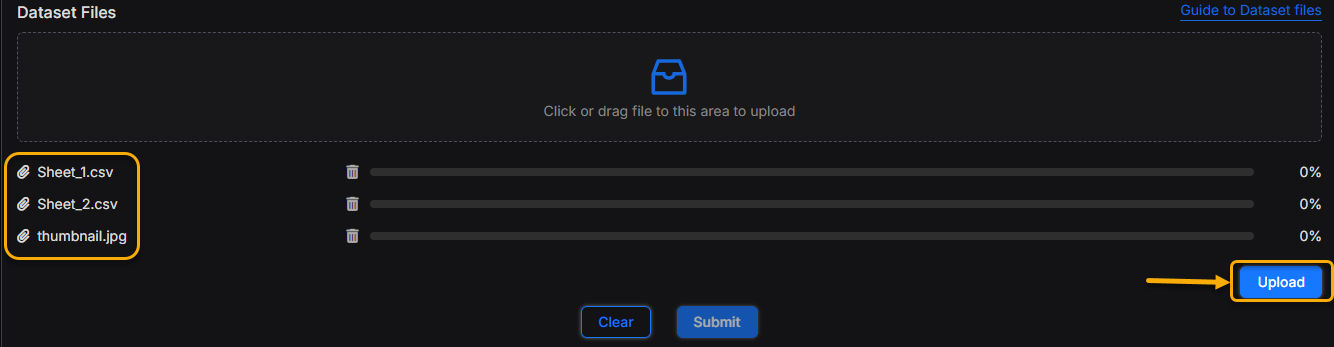
- Click the blue Upload button to proceed.
- Click Submit to complete the setup.
Upon successful submission:
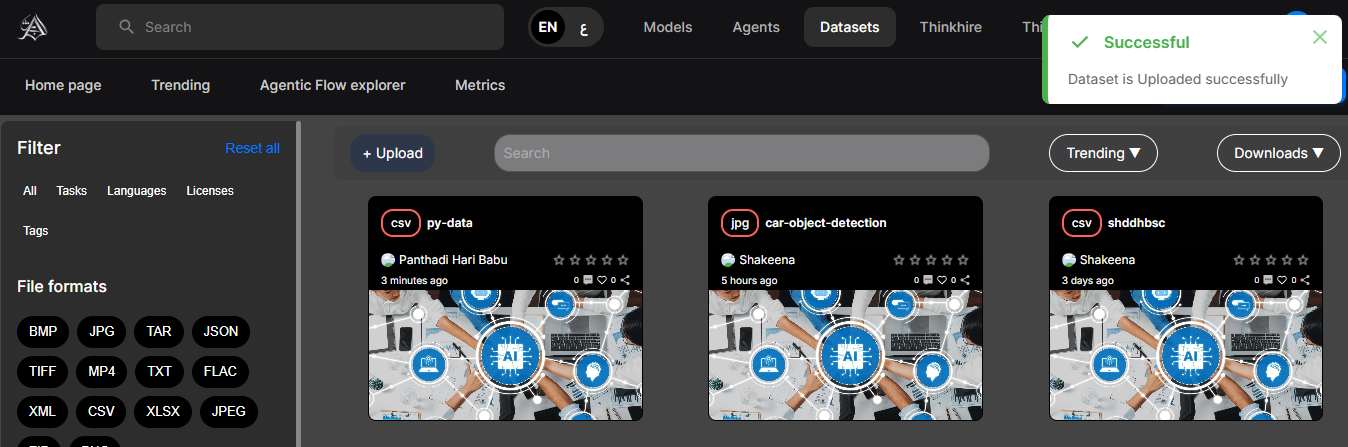
A success message appears.
Your dataset will be added to the Datasets Library.
It can now be used within your Thinkflows, combined with Models and Agents.